Available now
DayZ Panel
A self-hosted Linux web panel for DayZ dedicated servers — install, control, and manage everything from one dark admin UI.
Login required to purchase.
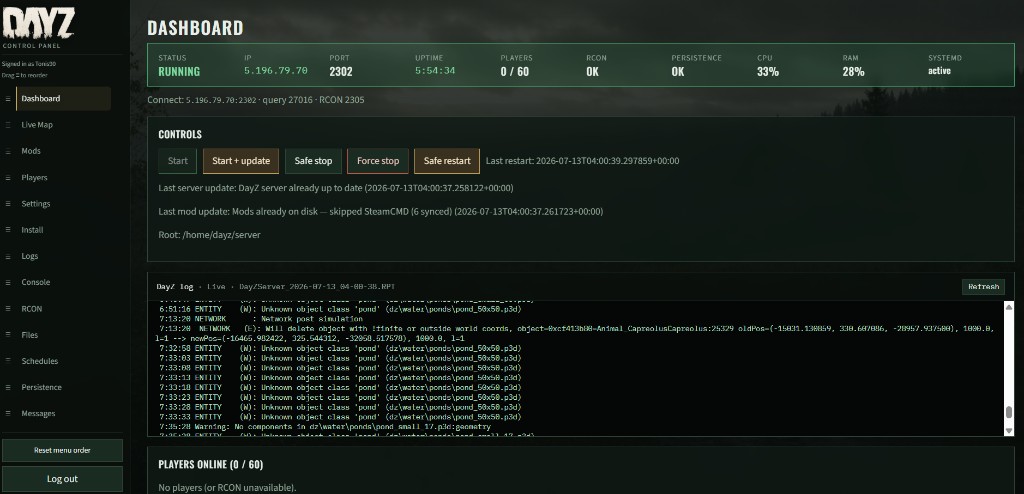
How it looks
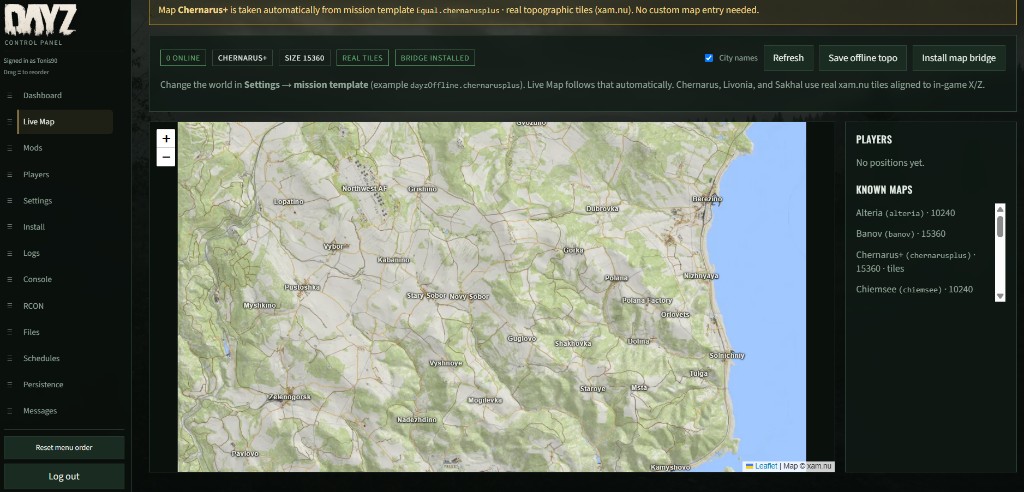
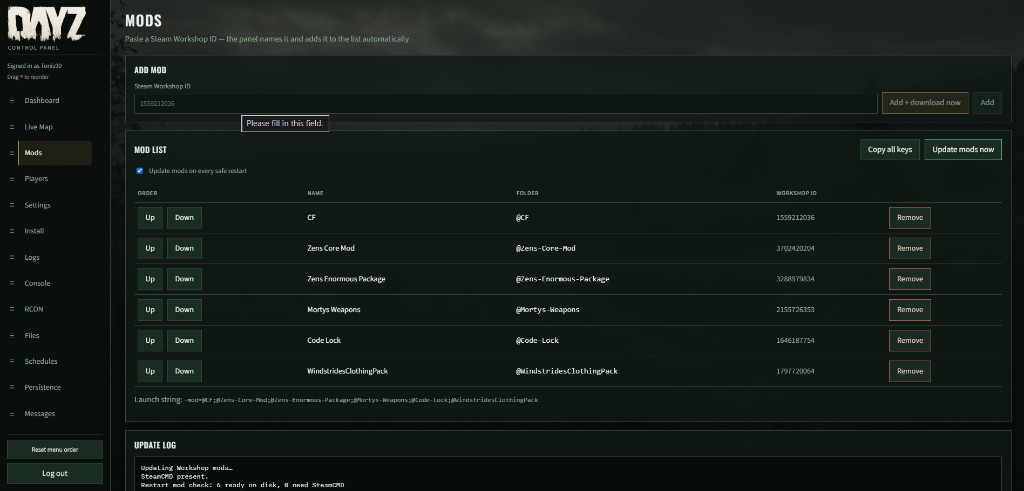
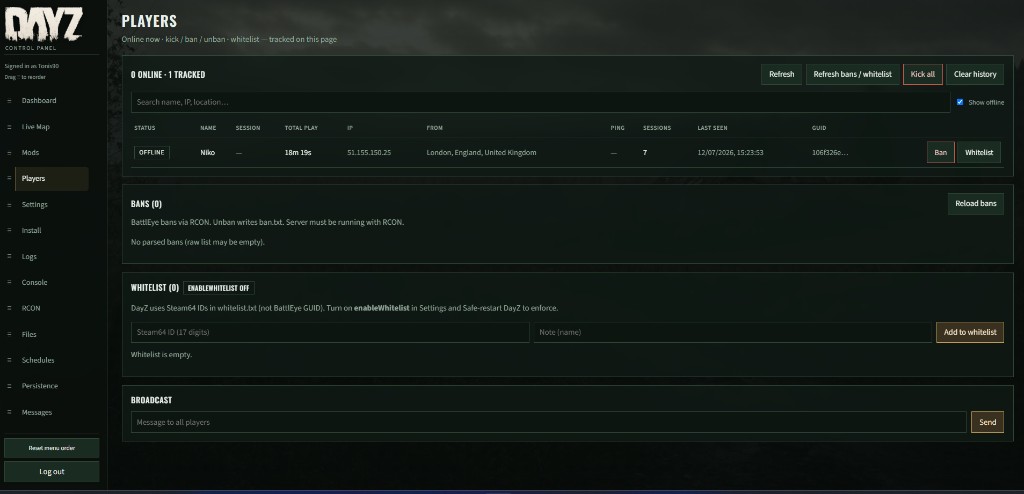
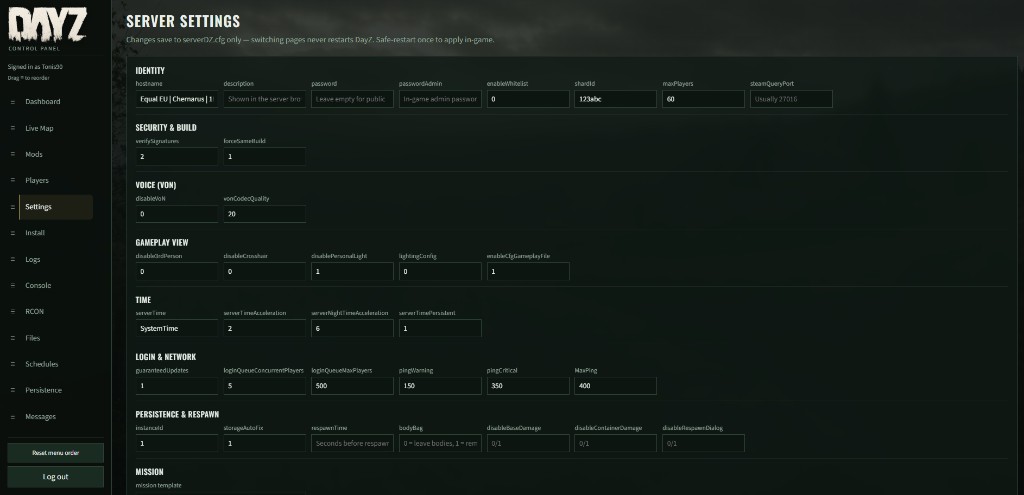
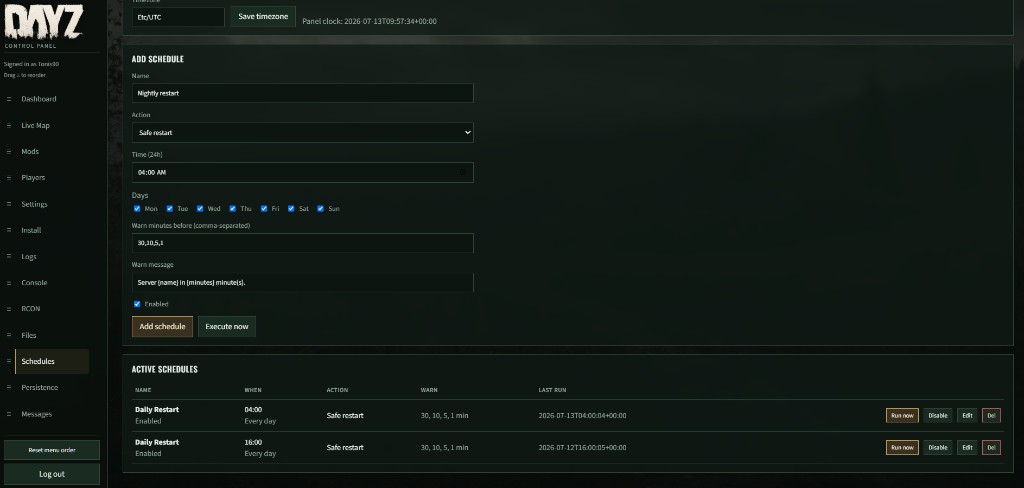
Screenshots from a live DayZ Panel — dashboard, map, mods, players, settings, and schedules.
Features
Everything you need to run a serious DayZ dedicated server from the browser.
Dashboard & control
- Live server status, uptime, systemd state, RCON health
- Player count, connect IP / ports, CPU & RAM
- Start, start + update, safe stop, safe restart, force stop
- Embedded job terminal for start / update progress
- Persistence health warnings when storage looks bad
Install & updates
- Steam account + Steam Guard for SteamCMD
- Install / update DayZ dedicated server (223350)
- Optional validate, reinstall binaries, full wipe
- Auto-update DayZ on safe restart
- Update panel from release / GitHub with progress
Live Map
- Real-time player markers on the world map
- Chernarus, Livonia, Sakhal, Deer Isle, Namalsk & more
- Topo tiles with offline fallback, city name overlay
- One-click mission map bridge install
- Custom maps by mission id / world size
Players & messages
- Online history with IP location, playtime, sessions
- Kick, kick all, ban / unban, whitelist (Steam64)
- Search by name, IP, or location
- Broadcast + repeating auto announcements
Mods
- Add by Workshop ID — name / folder resolve automatically
- Reorder load order, update now or on safe restart
- Sync
.bikeykeys intokeys/ - Mod update log and cancel running Steam jobs
Settings & RCON
- Visual
serverDZ.cfgeditor (hostname, slots, VoN, time…) - Mission template selection (drives Live Map)
- BattlEye RCON setup + connection test
- Raw RCON console for any command
Files & logs
- Sandboxed browser of the DayZ server root
- In-panel text editor, upload with progress
- Download, zip, extract, delete
- Live log / RPT tail viewer
Schedules & persistence
- Timed safe restart / stop / start / start+update
- Day-of-week, local time, timezone support
- Player warning broadcasts (30 / 10 / 5 / 1 min)
- Storage health check + one-click persistence backup
Security
- Admin login + first-time setup
- Change panel password from Settings
- Encrypted Steam credentials on disk
- Closed customer package (no source required)
Get DayZ Panel
Register, pay with Stripe, then download from your account and install on Ubuntu / Debian.
Panel runs on your VPS (default port 8090). You keep the files.